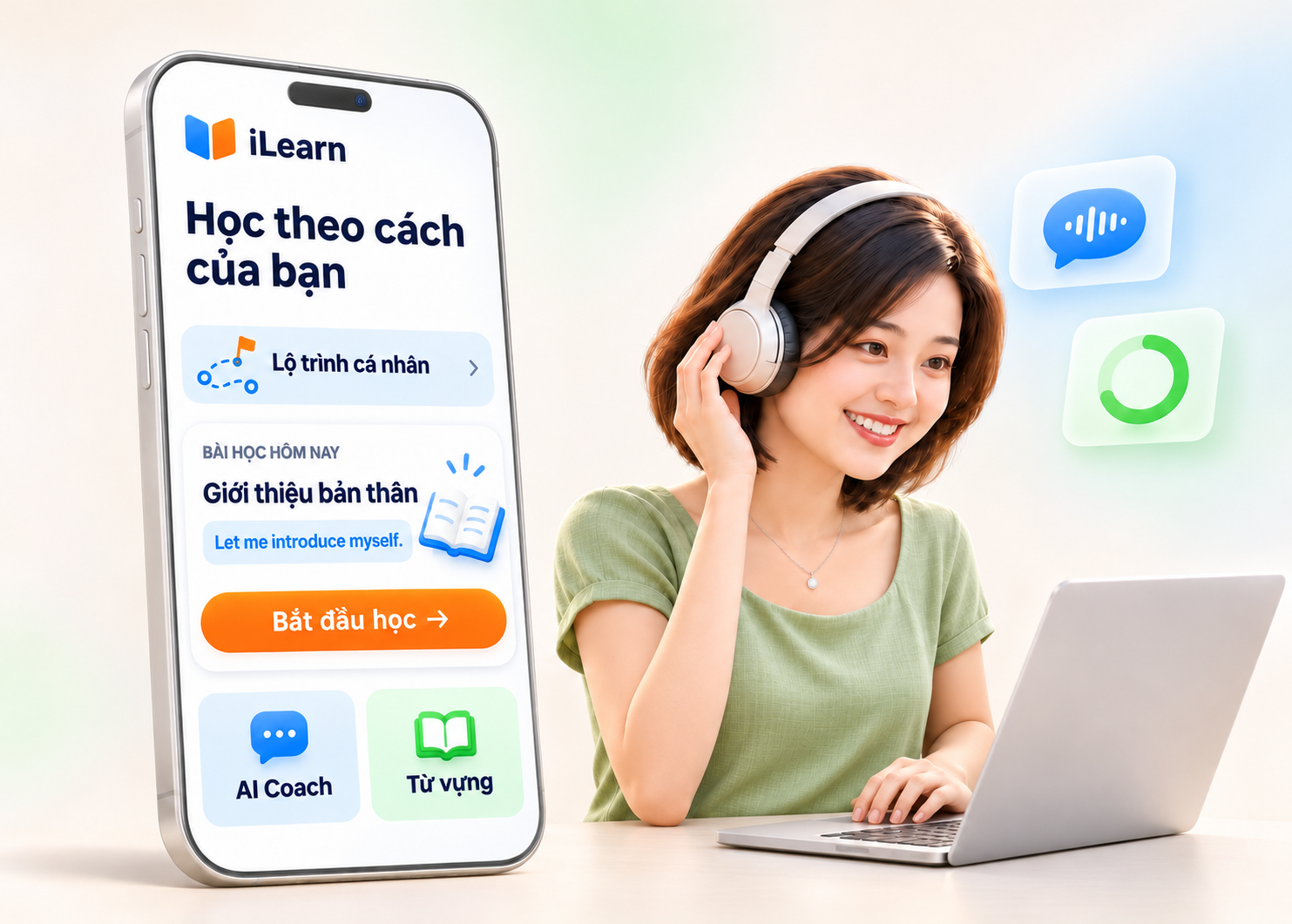
Where are you on your English journey?

Rebuilding the basics
Start with familiar words, simple sentence patterns and content that fits your current level.
Know some, but hesitant to use it
Practice building sentences in everyday situations and put what you know to use, step by step.
Need English for a specific goal
Focus on what you need, such as everyday conversation, work or travel.
A clear plan, one easy step at a time
You do not need every feature at once. Start from your goal, follow your plan and add practice when you need it.
- 1
Understand your needs
Answer a few questions about your level, goals, work, priority skills and schedule. Then take the placement test to set your starting point — you can do it later or pause midway.
- 2
Build your plan
Get an 8-week plan with lessons scheduled on the days you choose, so you know what to focus on and what to study today.
- 3
Learn in context
Each lesson introduces key phrases and sentence patterns in a specific situation, with usage notes and examples.
- 4
Practice and ask questions
Reinforce what you learned in the lesson practice. When you need help, ask AI Coach for an explanation or more practice.
- 5
Review and keep going
Mark phrases to review, check your lesson results and track your progress before moving on.
Same language, a different starting point for everyone
What you need to learn depends on your goals, what you already know and the time you have. iLearn uses the information you provide to help build a plan that fits.

Work

Travel

Everyday conversation
Your goals
The goals, field, role and situations you choose help decide which topics come first.
Your current level
The level you choose and your per-skill placement test scores help suggest where to start.
Your available time
Minutes per day and the days you study help fit lessons into your routine.
ExampleSomeone who needs English for work and someone preparing for a trip will choose different goals, so the topics in their plans differ too.

introduce — to present someone
Let me introduce myself. — used to start telling people who you are.
Can you introduce yourself in English?
Picture your first lesson
Illustrative example — Topic: Introducing yourself
This example shows the parts of a lesson. Your actual topics depend on your plan.
Meet the words and patterns
Mark each phrase as “I know this” or “Review later”.
Understand how it is used
See when to use each pattern, with examples and a simpler way to say it.
Try it yourself
Work through the practice section to use the new words and patterns.
Ask when you need to
Ask AI Coach to explain a sentence or suggest another way to say it.
See your results
Check the lesson Results, then return to your plan to keep going.
Know which tool to use, and when
Each tool serves a different need. Use them when you need them.
Learning plan
For when you want to know what to study next in your 8-week plan.
Today’s lesson
Where you learn phrases and patterns and practice the day’s topic.
AI vocabulary
Choose your level and goal to get 5 new words with meanings, examples and a quick quiz.
Practice
Extra practice activities beyond your daily lesson, all in one place.
AI Coach
Ask questions, get explanations or corrections, or role-play a situation by message.
Speaking practicePilot
Read a sentence aloud; iLearn turns your speech into text and shows which words matched. Currently open to selected users only.
Progress
See your recorded learning activity, streak and XP, then keep learning.
Try it first, save your journey when you are ready
Guest mode
- Start learning without creating an account.
- Your learning data is stored in the browser on this device.
- AI features require an account.
- Progress may be lost if you clear browser data or switch devices.
With an account
- Your progress is synced to your account.
- Sign in to keep learning on another device.
- Manage your details on the Account page.
When you sign in on a device that already has Guest data, iLearn asks whether to import it into your account. The data on the device is kept, and you can import it later from the Account page.
Frequently asked questions
Can I use iLearn as a complete beginner?
Yes. When setting up your profile you can choose “Beginner” or “I’m not sure”. The placement test then helps iLearn pick a better starting point.
Where should I start?
Tap “Start learning”, set up your learning profile (about 2 minutes), then take the placement test to get your plan. After that, just study today’s lesson.
Do I have to take the placement test?
You can do it later, but iLearn needs the result to create your learning plan. The test takes about 10–15 minutes, and you can pause and continue; results are saved automatically.
How long should I study each day?
You choose 10, 20, 30 or 45 minutes a day and which days you study; 20 minutes is the suggested option. Progress differs from person to person and depends a lot on studying regularly.
What information does the personalization use?
Your plan is based on the profile you provide — level, goals, work, priority skills, schedule — and your placement test results. You can edit your learning profile when your needs change.
How is AI Coach different from plan lessons?
Plan lessons have set content and order for each day. AI Coach is an open conversation where you can ask questions, get corrections or role-play. AI can sometimes be wrong, so double-check important information.
Do I need an account?
No. You can start right away in Guest mode. Create an account when you want to save progress and continue on another device.
Can I learn on both phone and computer?
Yes. iLearn runs in the browser and adapts to both phones and computers. Sign in with the same account to continue across devices.
How is my progress saved?
In Guest mode, progress is stored only in the browser on this device. When signed in, changes sync to your account; if you are offline, they are kept on the device and synced once you are back online.
Does speaking practice need microphone access?
Yes. Before you record, iLearn explains how recordings are handled and asks for your consent. The browser asks for microphone access only when you tap record, and the recording is sent for speech-to-text after you stop. iLearn does not store the recording or the transcript.
Share iLearn with a friend
Know someone learning English? Send them the link so you can start together.
Start from your level.Move step by step toward your goal.
Explore your plan and choose the right learning activity to start today.
Start learning